IM Portal
The IM Portal is your information-management team's command centre. Templates, the IM model, taxonomy, user roles, and lifecycle actions — all in one governed app, scoped to the right people, with no tenant-admin escalation required.
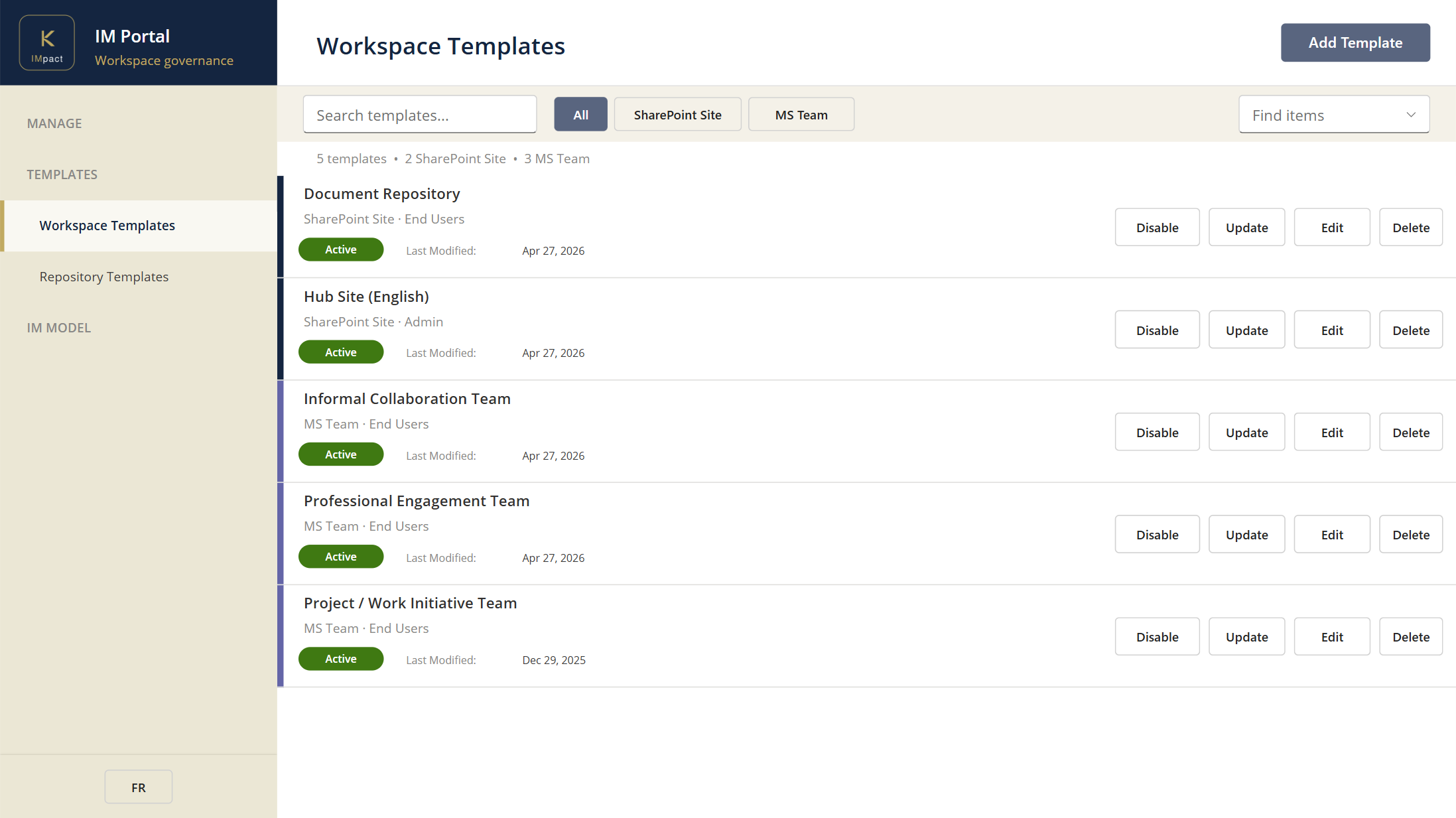
What your IM team does here
- Maintain workspace and library templates. Build them visually from reference sites in SharePoint, export through the IM Portal, version, and publish — no code, no scripts.
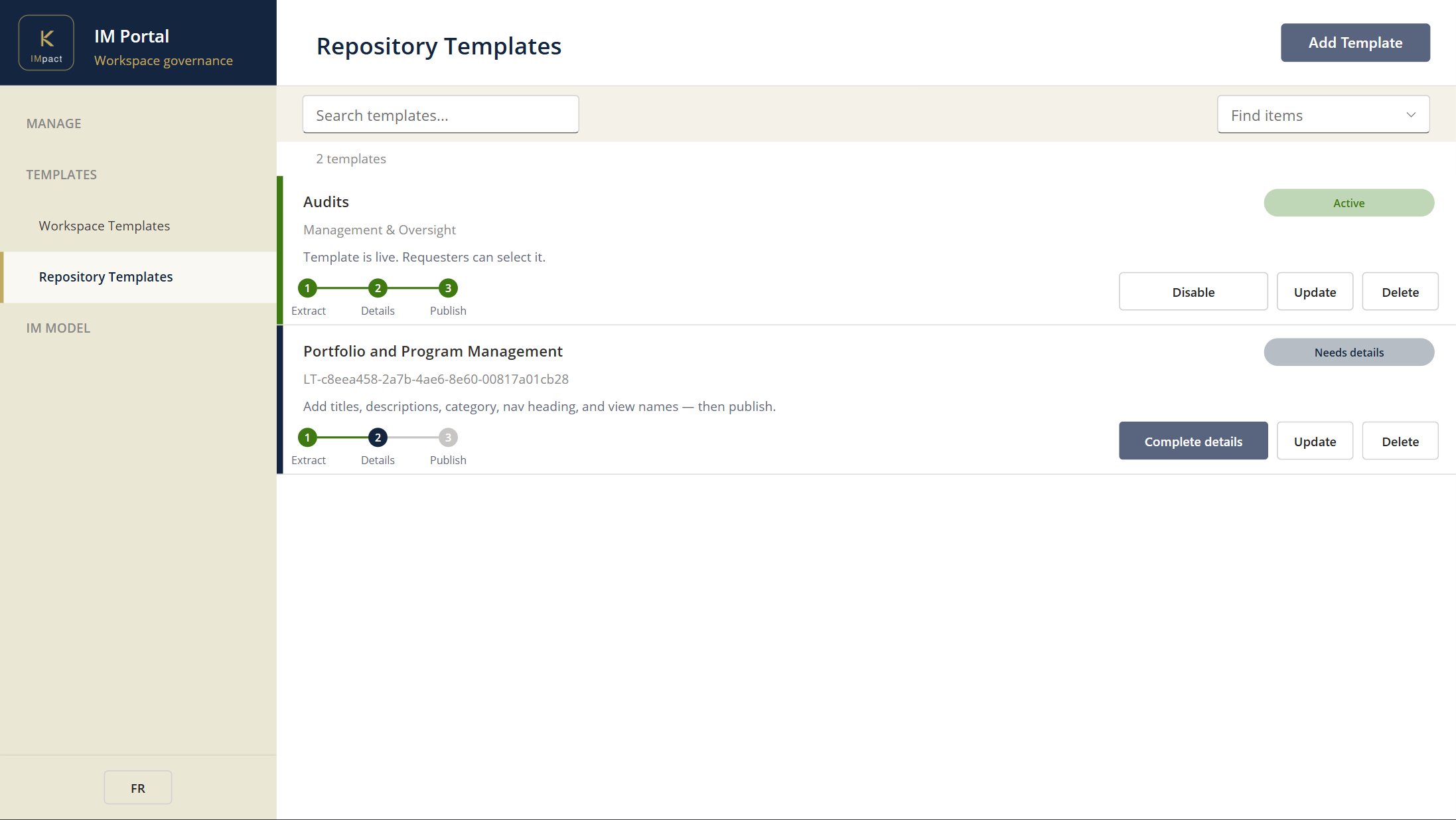
- Manage the IM model. Maintain enterprise site columns and content types through governed export, edit, import, and publish flows.
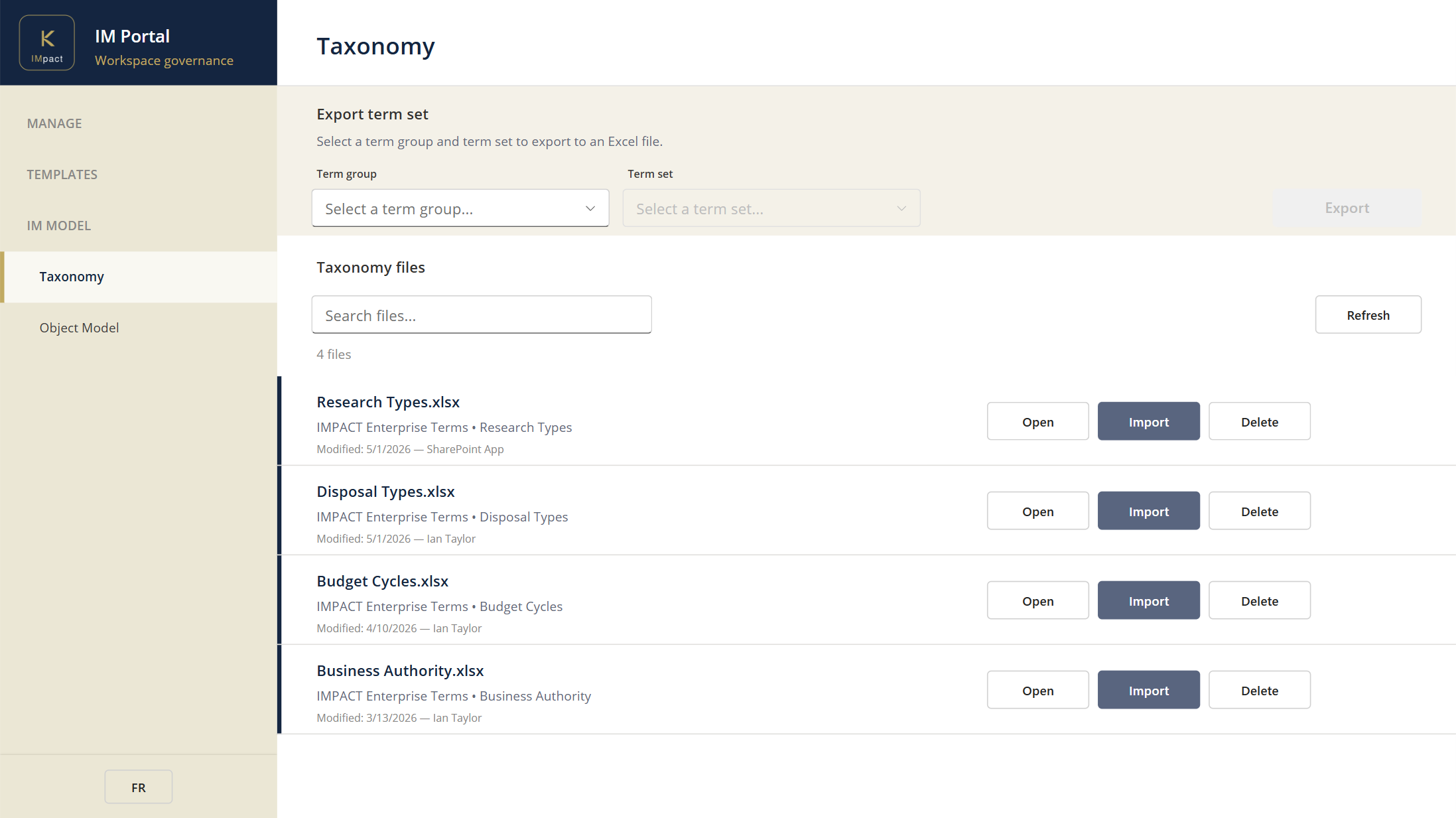
- Maintain bilingual taxonomy. Use a familiar Excel-based workflow to edit English and French term labels and synonyms side by side, against the Microsoft 365 term store.
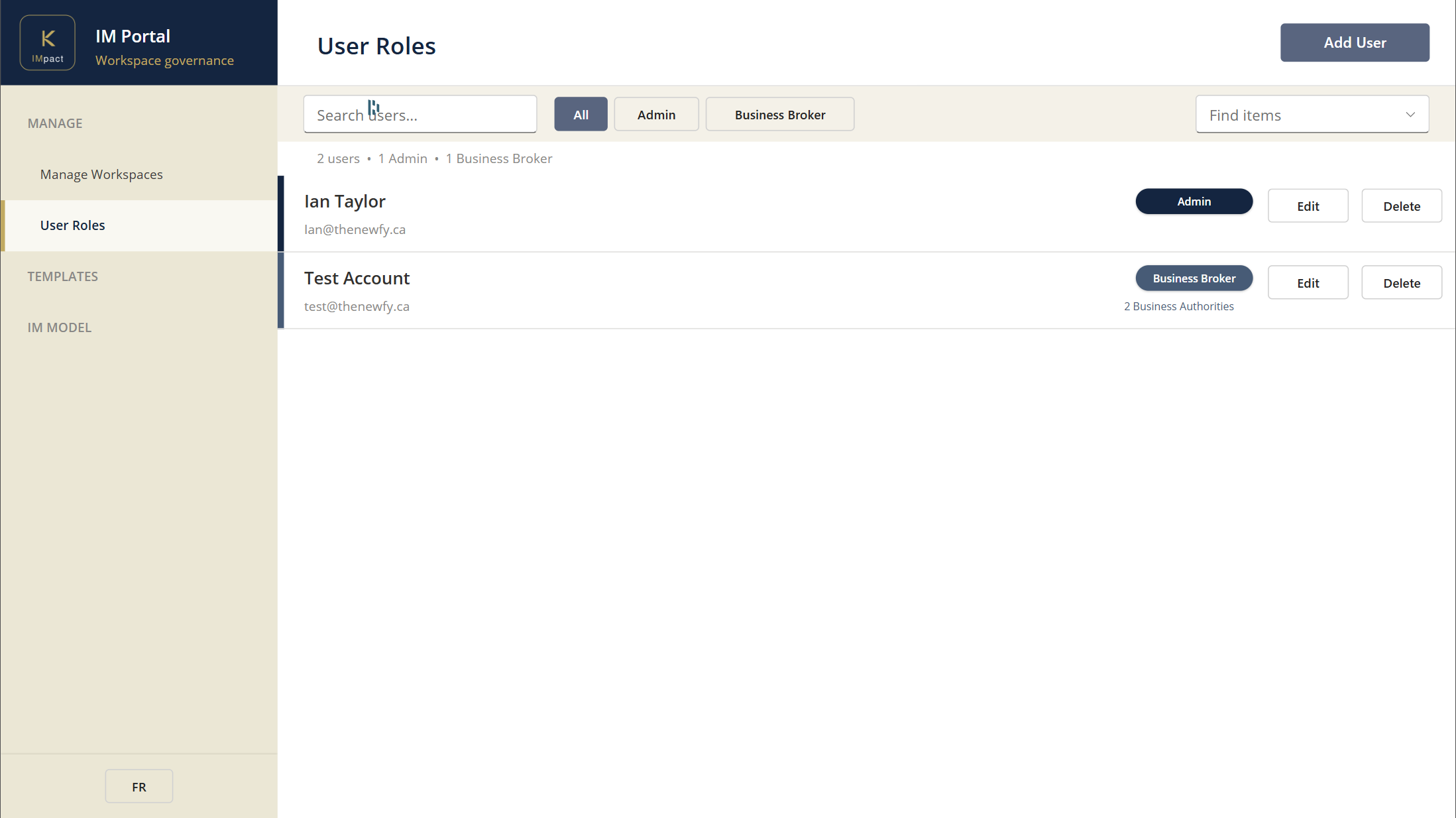
- Grant and revoke user roles. Manage broker assignments and IM admin roles, scoped by Business Authority.
- Take lifecycle actions. Archive, unarchive, or dispose workspaces tenant-wide when records management or governance decides a workspace's life is over.
Why your organization benefits
- One app for the IM team's whole job. What used to span half a dozen tools — SharePoint admin, the term store, ticket queues to IT, the PowerApps maker portal — now lives in one role-scoped app.
- Your IM team works at the IM team's pace. Privileged work doesn't get blocked behind tenant-admin escalation. Role boundaries are explicit and enforced.
- Bilingual is a first-class workflow. Editing English and French taxonomy together is the everyday motion in the IM Portal, the way bilingual deployments actually need to work.
- Your standards stay current. Templates evolve in step with the business. New patterns, new term sets, new content types ship through the same governed flow.
Where this fits
The templates and IM model maintained here drive every workspace Provisioning creates. The audit's Schema Integrity KPI measures whether what's deployed here stays intact in real use; Compliance puts it back when it drifts.